Disney Coloring World
StoryToysEducational
4.31.39K Reviews
- Version
- 18.10.0
- Installs
- 10.00M
- Age Rating
- Everyone
Screenshots
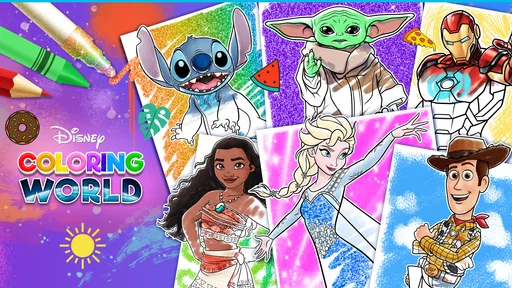
Our Review of Disney Coloring World
 Analysis by Appyee
I find Disney-themed coloring games most useful when they make the next step obvious: choose a picture, pick a color, and start without having to learn a complicated set of controls. That straightforward idea is the appeal of Disney Coloring World, an educational game from StoryToys. It gives children and Disney fans a familiar creative activity, while the range of scenes and coloring choices can make a quick session feel more personal than simply filling a page with one color.
How the layout supports getting started
The first few minutes matter, especially for a child who wants to begin coloring rather than navigate menus. I appreciate the clear connection between the character artwork and the activity: the Disney theme gives players an immediate visual cue about what they can do. The game is free to download, rated for Everyone, and has a 4.3 average from around 52,000 ratings, which makes it easy to see why families may try it as a low-commitment creative option. It has passed 10 million installs, but popularity alone does not tell you whether its approach suits a particular child.
Parents deciding whether to hand over a phone or tablet should think about the session they want. This is a coloring activity, not a replacement for drawing with pencils or a lesson that teaches a structured art technique. The appeal is the mix of familiar characters and digital tools. If your child enjoys choosing colors and decorating recognizable scenes, the premise is easy to understand; if they want open-ended drawing on a blank canvas, a general art app may offer more freedom.
Touch, pace, and sensory comfort
Digital coloring can be helpful for someone who finds physical supplies messy or inconvenient: there is no paper to spread out and no pencil to sharpen. The large-area fill option described in the game’s coloring tools can also reduce the effort involved in completing a broad section, while adjustable brush sizes let a player choose between wider strokes and finer detail. I would still treat these as options to experiment with rather than assume they solve every motor challenge. A small screen, imprecise taps, or difficulty holding a device can remain frustrating, and an adult may need to help position the tablet or choose an easier area to color.
For sensory preferences, the experience is likely to work best when the player controls the pace. The activity can be approached one section at a time, and the pattern and texture choices invite a child to explore without needing to follow a single “correct” color scheme. That flexibility is a strength for imaginative play, but parents should preview the game on the device and notice how its animations and interactive elements feel to their child. Some children enjoy seeing a finished scene move; others may prefer to stay with quiet, static coloring. I would use the animated finish as an optional reward, not a reason to push a child to complete a page.
Making a coloring session fit real life
One practical way to use the game is as a short, bounded activity while waiting at a café or during a quiet moment at home. I would let a child choose one picture, agree on a natural stopping point, and save the more detailed coloring for a longer session. The magic wand can help when attention is fading, since a large region can be filled with one tap; a smaller brush and a pattern can be saved for a child who wants to linger over details. This gives families a way to match the activity to available time rather than turning every picture into a project that must be finished in one sitting.
What it offers compared with other coloring choices
Compared with a paper coloring book, this game trades the tactile feel of crayons and the freedom to draw on the page for a screen-based activity with Disney characters, selectable colors, patterns, textures, and animated scenes. Compared with a general-purpose digital coloring app, its strongest draw is the recognizable Disney world, while a less themed alternative may suit someone who wants broader subject matter or a blank workspace. Neither format is automatically better: paper may be preferable for a child who needs a break from screens, while this game can be convenient when carrying art supplies is impractical.
It is also worth planning around the free-to-play model. The game is free, with in-app purchases ranging from $0.99 to $59.99 per item, so I would check purchase controls on the device before letting a child explore independently. The version is 18.1.0 and the minimum operating system is 7.0. Those details are useful when checking compatibility, but they do not change the basic decision: the best fit is a player who wants Disney-themed coloring and is comfortable using a touchscreen.
Who is likely to enjoy it—and who may not
I can see this working especially well for a child who already likes Disney characters, enjoys choosing colors, and benefits from an activity with a visible result. It can also suit a caregiver and child sharing a device: one person can help pick a scene or color, then let the child make the smaller choices. A useful low-pressure approach is to invite the child to color just one part of a picture, rather than asking them to finish it. That keeps the activity flexible and gives them room to stop when they have had enough.
I would look elsewhere if the main goal is learning to draw from scratch, practicing handwriting or pencil control, or getting away from screens. It may also be a poor match for someone who finds touch targets difficult or becomes unsettled by animated content. In those cases, a paper book, larger-screen setup, or a simpler static coloring activity may be more comfortable. The important point is to judge the experience by the individual player, not by the age label or the recognizable characters.
Readability and navigation in shared use
For a family sharing one device, a small amount of setup can make the session smoother. I would open the game first, check that the child can reach the coloring choices comfortably, and let them try a large region before moving to detailed areas. If they repeatedly tap outside a shape, choosing a broader area or using the fill tool is more helpful than correcting every mark. That simple adjustment can shift the focus from accuracy to creative choice, which is often the more enjoyable part for a young player.
When a child cannot easily read menu labels, familiar character art may help them recognize what they want to explore, but I would not assume pictures alone remove every navigation barrier. Staying nearby at the start lets an adult answer questions without taking over the coloring. As the child becomes familiar with the routine, they can make more choices independently. This is a practical way to see whether the interface works for them rather than relying on a general claim that an app is easy for everyone.
Small trade-offs that matter over time
The choice between speed and detail is one of the most useful things to manage. A broad fill can make a picture feel finished quickly, while a smaller brush and textures can make the same scene a longer, more focused activity. I would offer those options according to the child’s energy: quick fills for a brief wait, more detailed choices when there is time and interest. This also helps avoid treating the finished animation as the only satisfying outcome; choosing colors can be the whole activity, even if the page remains incomplete.
Another trade-off is that a themed library can motivate some players and narrow the experience for others. Disney familiarity may help a child choose a scene without needing much explanation, but someone who wants animals, everyday objects, or entirely original designs may quickly prefer a broader art app. The game’s educational category does not mean every session needs to be framed as a lesson. I would present it as creative play, and use conversation—“What made you choose that pattern?”—if the child enjoys talking about their decisions.
My inclusive verdict
Overall, I see Disney Coloring World as a promising option for children and Disney fans who want a guided, touch-based coloring activity, with useful ways to vary the pace and level of detail. Its strongest inclusive quality is that players can make visible creative choices without needing to draw every outline themselves. Its limits are just as important: a touchscreen can be awkward for some hands, animation may not suit every sensory preference, and the Disney focus will not appeal to everyone.
I would try it together before making it a regular solo activity, especially for a child with particular reading, motor, or sensory needs. A brief first session can answer practical questions: can they find a picture, reach the tools, enjoy the feedback, and stop comfortably? If those pieces fit, the game can make waiting time or a quiet afternoon more engaging. If they do not, a paper coloring book or a different creative app is a sensible choice, not a failure to appreciate the game.
The Colorful Palette
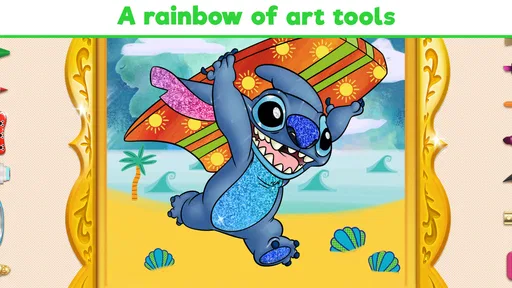
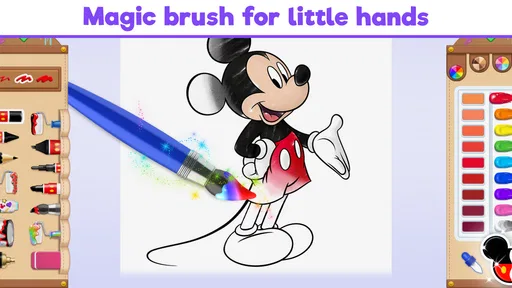
The app offers an impressive array of coloring tools. You can choose from a rainbow of colors, and the brush sizes are adjustable, making it easy to add those tiny details that really bring a scene to life. What I really love is the option to use patterns and textures. It’s like giving your coloring a little extra sprinkle of pixie dust! The app encourages experimentation, and before you know it, you’re mixing and matching like a pro.
And here’s a neat feature: the magic wand tool! With it, you can fill in large areas with a single tap, perfect for those moments when you want to see your creation come together quickly. It’s a real time-saver, especially for younger users who might need a little help staying within the lines.
Exploring the Disney Universe
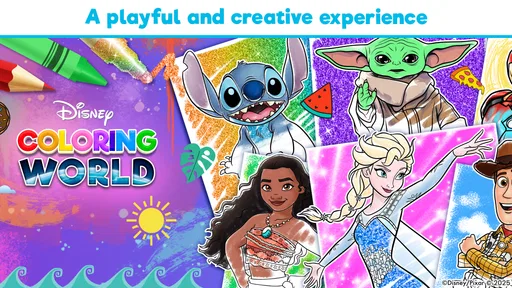
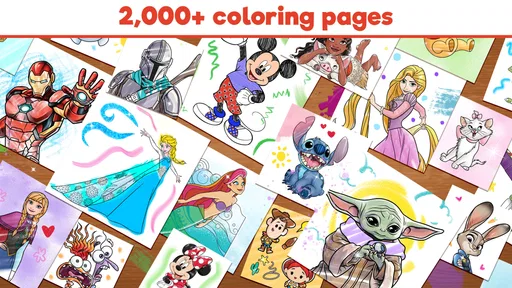
One of the standout features of this app is the sheer variety of content available. You can color scenes from classic films like “The Lion King” or “Beauty and the Beast,” or dive into newer releases such as “Frozen II.” Each update brings new pages and characters, ensuring that there’s always something fresh to keep you engaged.
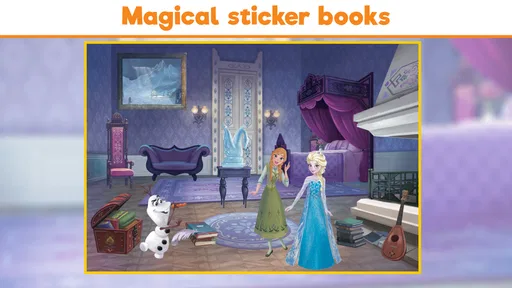
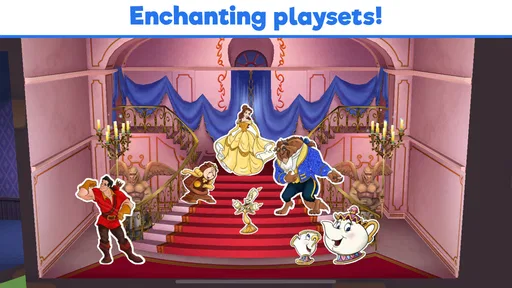
It’s not just about coloring, though. The app also has interactive elements that make the experience even more immersive. Once you’ve completed a scene, you can animate it! Watching your creations come to life is incredibly satisfying and adds another layer of fun to the coloring process.
Perfect for All Ages
Whether you’re a kid or just a kid at heart, Disney Coloring World offers something for everyone. The app is designed to be intuitive, making it accessible to younger children, while still offering enough depth to keep older users entertained. Parents can join in on the fun too, making it a delightful activity for the whole family.
I found myself getting lost in the colors and characters for longer than I’d care to admit. There’s something so relaxing about coloring on the go, and having such a vast library of Disney scenes at your fingertips is a treat.
Final Thoughts
In a world where we’re constantly on the move, Disney Coloring World offers a lovely escape into a realm of creativity and nostalgia. Whether you’re waiting for a bus or just chilling at home, this app provides the perfect break from the daily grind. The only limit is your imagination!
So, if you’re itching to unleash your inner artist and relive some Disney magic, give this app a whirl. It’s an enchanting journey that’s sure to bring a smile to your face and a splash of color to your day.
Privacy and Permissions
See what permissions an app requests and how it handles your data.
- Photos/Media/Files
- read the contents of your USB storage, modify or delete the contents of your USB storage
- Storage
- read the contents of your USB storage, modify or delete the contents of your USB storage
- Wi-Fi connection information
- view Wi-Fi connections
- Other
- view network connections, full network access, prevent device from sleeping, Google Play license check
Verdict
Strengths of Disney Coloring World
- Wide variety of characters to color
- Intuitive interface for easy use
- Regular updates with new content
- No ads to interrupt your creativity
- Fun for all ages, from kids to adults
Limitations of Disney Coloring World
- Limited free content available
- In-app purchases can add up
- Some images require internet
- Occasional app crashes reported
- Color palette could be more diverse
Other Releases by StoryToys
View All
Marvel HQ: Kids Super Hero Fun
Educational4.2

LEGO® DUPLO® Peppa Pig
Educational4.3

LEGO® DUPLO® World
Educational4.3

My Very Hungry Caterpillar
Educational4.0
Similar Picks in This Category
View All
Little Panda Policeman
BabyBus4.0

Monster Trucks Game for Kids 2
Raz Games4.1

Little Panda's Chinese Recipes
BabyBus4.4

Little Panda's Restaurant
BabyBus4.4

Little Panda's Ice Cream Games
BabyBus4.3

Baby Panda Care
BabyBus3.8
Frequently Asked Questions
What is Disney Coloring World?
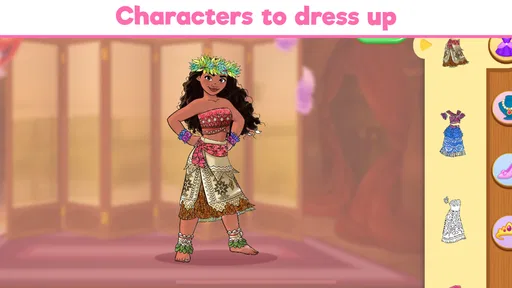
Disney Coloring World is a creative app designed for children that allows them to color and interact with their favorite Disney characters. The app offers a wide range of coloring tools and palettes, as well as various scenes and characters from popular Disney movies. It's available on both Android and iOS platforms.
Is Disney Coloring World suitable for all ages?
While Disney Coloring World is primarily designed for children, it can be enjoyed by Disney fans of all ages. The app provides a user-friendly interface that is easy to navigate, making it accessible for younger children, while older users can appreciate the detailed artwork and advanced coloring options.
Does Disney Coloring World require an internet connection?
Disney Coloring World can be used offline for coloring activities, but an internet connection is needed to download additional content or updates. Users should ensure they have an internet connection to access new scenes, characters, and any in-app purchases they wish to make.
Are there in-app purchases in Disney Coloring World?
Yes, Disney Coloring World offers in-app purchases. While the app provides a selection of free content, additional coloring pages, characters, and tools can be purchased. Parents should be aware of these options and manage purchase settings accordingly to prevent unauthorized transactions.
Can I save and share my creations in Disney Coloring World?
Absolutely! Disney Coloring World allows users to save their completed artwork to their device. Additionally, users can share their colorful creations with friends and family through social media or messaging apps, making it easy to showcase their artistic talents.
Play our best games!


